
Top 5 Things Apple Should Launch on March 4 — And the One I’d Grab Right Away
Smartphones, Tech

Top 5 Things Apple Should Launch on March 4 — And the One I’d Grab Right Away

Introduction Every Apple enthusiast knows the anticipation that builds in the lead-up to Apple’s March event. It’s like waiting for your favorite TV show to drop a new season—only this time, we’re all eager for a sneak peek at the latest tech gems from Cupertino. While Apple keeps its cards close to the chest, there’s no harm in wishing for a few exciting gadgets or updates. Let’s dive into the top items on my Apple March event wishlist, including the one must-have I’d snap up in a heartbeat! Next-Gen AirPods Apple enthusiasts, get ready to tighten your seat belts! As we eagerly anticipate Apple’s upcoming March event, one item on our wishlist is the unveiling of the next generation of AirPods. Each iteration of Apple’s wireless earphones has set the bar a little higher in terms of quality and innovation. So, what could the new AirPods bring to our tech-savvy lives? Let’s explore some possibilities. Updated Features and Design First things first, let’s talk about design. Imagine sleek, ergonomic earphones that fit perfectly and feel like they’re part of you—an experience so seamless, it’s almost as if they’re not even there! The magical word in the air is “overhauled.” We might see a refreshed design that features a more snug fit, with user comfort being the centerpiece. Picture ear-tips that conform to your ear, crafted from some magical material that adjusts perfectly after every use. Moreover, folks are keen on having a splash of color. While Apple traditionally loves its whites and blacks, there’s room for some fun, right? How about chic shades that resonate with personal style? With updated water and sweat resistance, these new AirPods could become your best buddy for both rainy commutes and intense workouts. Enhanced Sound Quality Listening to music or making calls on AirPods has already been a dream for many. But we’re hoping the newest models hit the jackpot in terms of sound quality. Enhanced noise-cancellation technology would definitely be a wish come true, ensuring tranquility no matter where you are. Envision a vibrant auditory experience with sounds crystal-clear as a mountain stream! Improved drivers and amplifiers could craft this magic, all while adjusting sound based on your activities, ensuring immersive experiences from podcasts to pop music. We might even see customizable sound settings via the accompanying app – wouldn’t it be cool to tweak frequencies to suit every song on your playlist? Integration with Apple Ecosystem Next-gen AirPods could amplify the synergy within the Apple ecosystem. Picture this: a day where your AirPods can act as additional beacons for your location, working hand-in-hand with the Find My app to ensure you can locate them anytime, anywhere. Moreover, integration with health features from the Apple Watch or Fitness app could track data like step count or workout intensity to keep you motivated. Siri could become even friendlier, intuitively interacting through your AirPods for reminders, messages, or even casual chats about the weather—all in your ear, just like a personal companion whispering priceless tips. And of course, seamless switching between your Apple devices like iPhones, iPads, and MacBooks would certainly make the everyday hustle a tad smoother. Apple Watch Series 8 Breathe new anticipation into your wrists, as we’re eyeing the Apple Watch Series 8, brimming with potential. These mighty gadgets have become more than just timepieces; they’re health aides, fitness coaches, and fashionable accessories—rolled into one. Time to delve into what might land on our eager wrists this season. Health Monitoring Advancements Apple has been at the forefront of wearable health technology, and the Series 8 is poised to push boundaries further. With a potential focus on sophisticated health sensors, this watch could become your very own health technician. We’re talking about advanced features like blood glucose monitoring, which would be revolutionary for diabetics managing their levels on-the-go. Additionally, expect an improvement in the existing ECG and blood oxygen sensors, delivering greater accuracy and real-time notifications. With hopes of introducing stress level monitoring using electrodermal activity sensors, the future looks promising for garnering reactions and calmative tips right when you need them. New Fitness Features Fitness enthusiasts, rejoice! The Apple Watch Series 8 could spark joy with fresh, exhilarating fitness features. Tantalizing rumors suggest an inventory of new workout options designed to challenge and transform. Whether it’s dance modes or martial arts, each is crafted to expand your fitness horizons in fun-filled ways. Imagine your watch picking up on your movements, suggesting pre-workout stretches, urging you through intervals during a run, or even praising you for hitting goals. How about personalized AI-fueled coaching that learns and grows with your fitness journey? Achieving dream physiques while collecting badges has never been this engaging! Fitness competitions could see a revamp too, making friendly rivalry a seamless experience through improved sharable stats and leaderboards, with major bragging rights guaranteed at the finish line. Design and Display Improvements The Apple Watch has carried its traditional sleek look with pride, but the Series 8 might see subtle yet stunning design enhancements. Possibilities include a thinner case design for a more unobtrusive presence on your wrist, without compromising durability or functionality. Expect a robust lineup of band options, from silicone to premium leather, befitting both gym attire and gala suits. And how can we forget colors? Some deeper experimentation with hues might just bring the zing we need in a routine lineup. Regarding displays, whispers suggest the prospect of a microLED screen. This would mean better brightness, deeper contrasts, and overall energy efficiency. Couple that with thinner bezels, and we could be staring at additional screen real estate, ripe for showcasing complications and apps in vivid technicolor. One More Thing… Now that we’ve covered some of the exciting gadgets potentially gracing Apple’s grand stage on March 4th, along with an array of riveting features, it’s time to highlight the one I’d snatch up immediately. What has caught your attention from my wishlist? For me, it’s the next-gen AirPods – the prospect of unmatched sound, user-defined design, and robust […]

Top 5 Things Apple Should Launch on March 4 — And the One I’d Grab Right Away Read Post »
Amazon Credit Card Points Scam
Internet & Apps, News

Shop on Amazon? Beware of the Sneaky Amazon Credit Card Points Scam

Understanding the Amazon Credit Card Points Scam Amazon offers many conveniences, but the “Shop with Points” feature has a hidden risk. This feature allows users to use credit card rewards points for purchases. Unfortunately, some scammers exploit this system to steal points without your immediate knowledge. Understanding this Amazon credit card points scam can help you protect your rewards. How the Scam Works The scam targets users with premium credit cards that accumulate points. Fraudsters acquire stolen card details and link them to their Amazon account. By enabling Shop with Points, they make purchases while you remain unaware. The attack is subtle, often showing only small incremental deductions from your rewards balance. Real-Life Examples Jason Rabinowitz experienced a massive loss in December when his Chase Ultimate Rewards points were drained. Dozens of Amazon purchases were made using his points, and he didn’t receive any alerts. Similar reports are found on Reddit forums for American Express, Capital One, and other reward programs. The attackers exploit the lack of notification for card enrollments. Why Notifications Fail Amazon notifies the rewards partner, not the cardholder. This means the bank may catch suspicious activity but not always in real time. Individual banks have their own policies, and some, like Chase in this case, may not alert you immediately. Scammers rely on this delay to quickly use points before detection. Preventing the Amazon Credit Card Points Scam Monitoring your points regularly is essential to avoid being caught off guard. Avoid saving credit card details on multiple websites. Enable two-factor authentication wherever possible. Check your reward account for suspicious transactions frequently, especially if you have high-value points accumulated. Best Practices for Credit Card Security Use alerts and notifications offered by your bank. If your card supports fraud alerts on points, enable them immediately. Limit the number of accounts that can access your rewards. Ensure you only use trusted devices to log into Amazon and your credit card portal. Recovery After Fraud In Rabinowitz’s case, the bank quickly restored the points after he reported the fraud. Most banks will investigate points fraud and return stolen rewards. Acting fast increases the likelihood of full recovery. Keeping detailed records of point activity helps when disputing unauthorized transactions. Understanding the Risks of Shop with Points While convenient, the Shop with Points feature comes with security risks. Since Amazon cannot always verify the primary cardholder, unauthorized point usage is possible. Reward points may not trigger typical cash fraud protections, leaving users vulnerable. Awareness of this risk is crucial for all cardholders. Why Scammers Target Rewards Points Unlike cash transactions, points often escape immediate detection. Fraud detection algorithms focus more on large cash transfers than small point deductions. Premium card points are valuable, making them attractive for attackers. Subtle transactions are ideal for fraudsters, allowing them to accumulate large rewards quickly. Key Takeaways Always monitor your points, not just your cash accounts. Enable two-factor authentication on Amazon and your card portal. Contact your bank immediately if points disappear. Avoid linking multiple cards unnecessarily to online accounts. Knowledge is the most effective defense against the Amazon credit card points scam. Conclusion The Amazon credit card points scam is a reminder that even digital rewards need vigilance. Users must stay alert, monitor points, and act quickly if fraud occurs. While the Shop with Points feature is convenient, it can be exploited by fraudsters. Awareness, monitoring, and quick action are key to safeguarding your rewards points.

Shop on Amazon? Beware of the Sneaky Amazon Credit Card Points Scam Read Post »

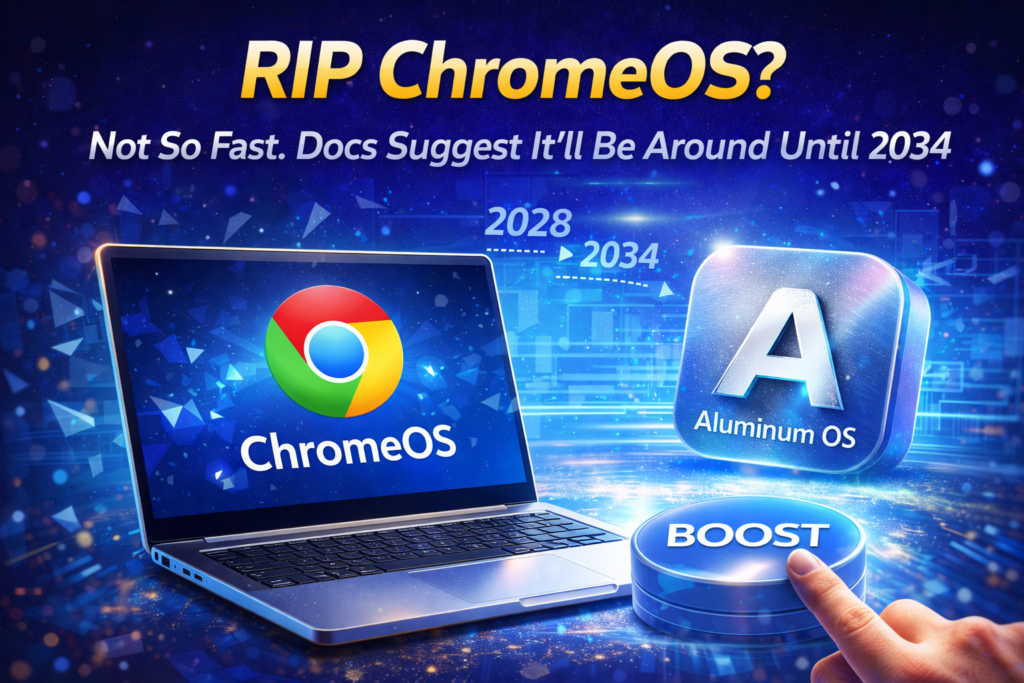
RIP ChromeOS? Here’s Why It Will Stay Until 2034
Future Tech, Laptops & PCs, News

RIP ChromeOS? Here’s Why It Will Stay Until 2034

Introduction to ChromeOS and Its Legacy ChromeOS has been a significant player in the laptop industry, especially in education. Launched in 2011, the OS provided a lightweight, secure platform for students and professionals. Over the years, it gained a loyal following, even though it never overtook Windows or macOS. Now, with Google planning Aluminum OS, the future of ChromeOS is a hot topic. Google’s Aluminum OS and the Timeline Google is currently developing Aluminum OS, a combined platform merging Android and ChromeOS. According to court documents, this new OS is expected to roll out fully by 2028. The transition will not immediately replace ChromeOS, as many older devices may not support Aluminum OS. Therefore, ChromeOS will continue receiving updates for existing devices. ChromeOS 10-Year Support Commitment One of the biggest reasons ChromeOS will remain is Google’s 10-year update commitment. All Chromebooks are guaranteed a decade of support from their launch date. For instance, devices released in 2024 will still receive updates until 2034. This ensures security and stability, which is particularly important in educational institutions and businesses. Security Implications for Chromebook Users Security is a critical factor for ChromeOS longevity. Without updates, devices risk vulnerabilities, as seen with Windows 10 after support ended. By continuing ChromeOS updates, Google protects users from malware and exploits. Students, educators, and professionals can safely rely on Chromebooks for years to come. ChromeOS in Education and Workspaces ChromeOS laptops have found their niche in classrooms and offices. Their lightweight design, long battery life, and easy-to-manage interface make them ideal for daily use. While Aluminum OS promises to expand functionality, ChromeOS’s simplicity ensures that existing users remain productive. The OS is particularly effective for cloud-based work environments. Compatibility Concerns with Aluminum OS Not all Chromebooks will be compatible with Aluminum OS. Older devices may lack hardware support, which means Google must maintain ChromeOS updates until 2034. This dual-system period ensures users are not forced to upgrade hardware prematurely. It also allows a smooth transition without compromising functionality or security. Market Position of ChromeOS Although ChromeOS is not as mainstream as Windows or macOS, it holds a steady market share. Its affordability and ease of use make it appealing to education systems worldwide. Even with Aluminum OS on the horizon, ChromeOS devices will continue serving students and professionals who need a reliable, low-maintenance computing experience. Court Documents Reveal ChromeOS Lifespan Recent court filings show Google is legally bound to maintain ChromeOS support until at least 2033. This means that even with Aluminum OS’s release in 2028, ChromeOS updates will continue for another six years. The timeline to fully phase out ChromeOS is now projected for 2034. Users can expect a seamless experience without sudden loss of service. Implications for Businesses and IT Departments Businesses relying on Chromebooks can plan for long-term support. IT departments benefit from predictable update schedules, reducing security risks. Organizations can implement new technologies gradually without worrying about unsupported devices. ChromeOS’s stability ensures minimal disruption in professional and educational settings. The Future of ChromeOS vs Aluminum OS Aluminum OS promises a unified experience across Android and Chromebook devices. However, ChromeOS will remain crucial for older devices and secure environments. The coexistence period will allow Google to refine Aluminum OS while still honoring its support commitments. This hybrid approach keeps users safe and productive. Conclusion ChromeOS is far from being discontinued. With 10-year update guarantees, security concerns, and hardware limitations for Aluminum OS, ChromeOS will remain in use until 2034. Users can confidently continue relying on their Chromebooks, knowing Google is committed to maintaining updates and support.

RIP ChromeOS? Here’s Why It Will Stay Until 2034 Read Post »

Microsoft PC Manager
How-To, How-To Guides, Laptops & PCs

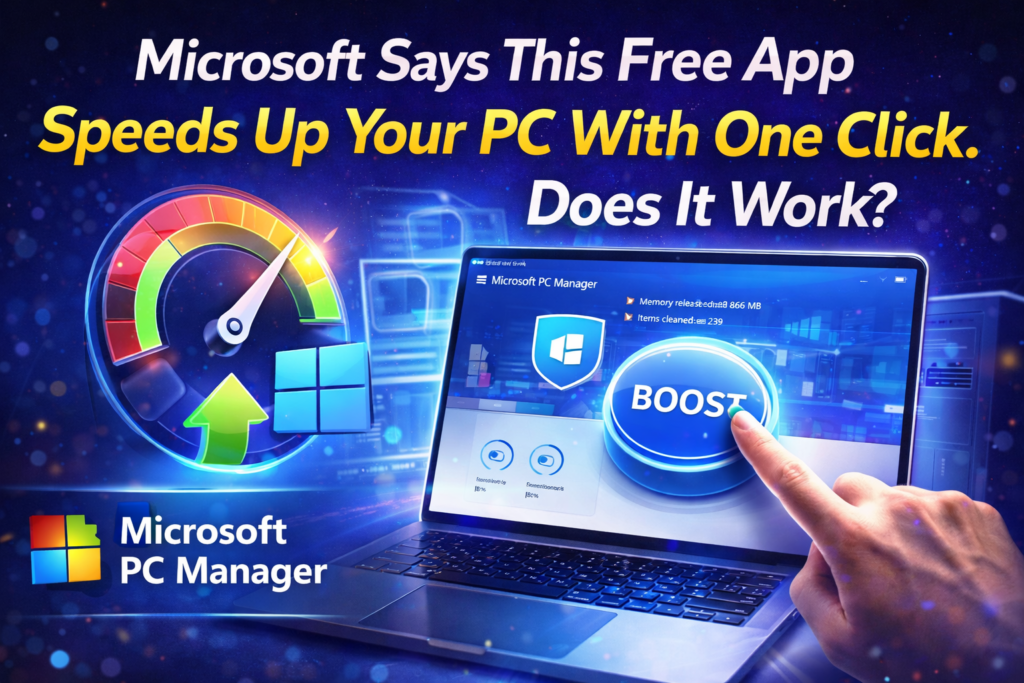
Microsoft PC Manager : Does This Free App Really Speed Up Your PC?

Introduction to Microsoft PC Manager Microsoft PC Manager has become popular among Windows users looking for a simple way to improve system performance. Many third-party tools promise faster computers, but most require paid subscriptions or show aggressive ads. Microsoft has now introduced its own free optimization app that claims to clean and boost PCs with one click. The big question is whether this tool actually delivers real results or is just another system cleaner with big marketing promises. What Is Microsoft PC Manager? Microsoft PC Manager is an official Windows utility designed to combine several built-in maintenance features into one interface. Instead of searching through multiple settings menus, users can manage storage, startup apps, and background processes from a single dashboard. The app works on both Windows 10 and Windows 11 devices without requiring advanced technical knowledge. This makes it attractive for beginners who want an easy method to maintain their computers. Installation and First Impressions Downloading Microsoft PC Manager from the Microsoft Store takes only a few seconds on a stable internet connection. After launching the app, a clean and simple welcome screen appears with options to enable automatic startup. The interface uses large buttons and clear labels that explain each function in plain language. Even users with little experience in PC maintenance can understand the layout without reading tutorials. One-Click Boost Feature The main attraction inside Microsoft PC Manager is the large Boost button placed at the top of the home screen. Pressing this button closes unnecessary background processes and removes temporary files from memory. This action is meant to free RAM and make the system feel more responsive during daily tasks. On older computers, the effect can be more noticeable than on high-end modern machines. Health Check System Another important section is the Health Check tool that scans the computer for common performance problems. It searches for leftover files, unused applications, and system settings that may slow down the PC. After the scan finishes, users receive a list of items that can be optimized with one click. The report is easy to read and explains each suggestion clearly. Storage Cleaning Options Microsoft PC Manager includes advanced storage management similar to Windows Storage Sense but with more control. Users can delete cache files, DirectX shaders, log data, and recycle bin contents from one page. The tool also identifies large files that may be forgotten in download folders. This helps free valuable disk space without manually browsing through drives. Startup and Process Control Too many startup applications are one of the biggest reasons for slow boot times. Microsoft PC Manager allows users to disable unwanted startup programs with simple toggle switches. It also shows running processes with an option to end tasks quickly. This feature works like Task Manager but in a friendlier design. Deep Cleanup Function The Deep Cleanup module goes further than basic cleaning by scanning application caches and residual data. Programs like browsers and chat tools often store hundreds of megabytes of temporary files. Removing these leftovers can recover several gigabytes of storage space. The process is safe because the app targets only non-essential data. Toolbox and Mini Toolbar Microsoft PC Manager offers a small floating toolbar that displays CPU and network usage in real time. Users can add shortcuts to calculator, notepad, captions, and other system utilities. This helps access useful tools without opening multiple windows. The toolbar can be hidden anytime if it feels distracting. Security and Privacy Considerations Some users worry about giving system access to optimization software. Microsoft PC Manager runs locally and does not upload personal files to cloud servers. The app follows the same privacy standards as Windows itself. It only uses official Windows APIs to perform cleaning and maintenance. Performance Test Results Real-world tests show that Microsoft PC Manager can slightly improve benchmark scores on mid-range PCs. Memory usage usually drops after pressing the Boost button. Systems with limited RAM benefit more than powerful gaming computers. The improvement is not magical but still helpful for everyday multitasking. Comparison With Third-Party Tools Unlike CCleaner or Iolo System Mechanic, Microsoft PC Manager is completely free and ad-free. It avoids risky registry cleaning that can damage Windows installations. Paid tools often include unnecessary features that average users never touch. The Microsoft solution focuses only on safe and practical optimizations. Who Should Use This App? Microsoft PC Manager is ideal for students, office workers, and home users who want simple maintenance. Gamers with high-end rigs may notice only small gains from the tool. Older laptops with 8GB RAM or less can feel noticeably faster after cleaning. The app suits people who dislike complex technical settings. Limitations to Consider The tool does not replace professional troubleshooting for hardware problems. It cannot fix failing hard drives or outdated drivers automatically. Advanced users may prefer the detailed control of Task Manager and Windows settings. The app is mainly designed for quick everyday optimization. Final Verdict on Microsoft PC Manager After thorough testing, Microsoft PC Manager proves to be a reliable and safe maintenance utility. It successfully organizes scattered Windows features into one convenient location. The performance boost is modest but real, especially on cluttered systems. For a free official app, it delivers more value than expected. Conclusion The focus keyword Microsoft PC Manager represents a new direction for Windows maintenance tools. Instead of relying on questionable third-party cleaners, users now have a trusted built-in alternative. The app will not transform an old PC into a gaming monster, but it can restore smooth everyday performance. Anyone using Windows should try this free tool before spending money on paid optimizers.

Microsoft PC Manager : Does This Free App Really Speed Up Your PC? Read Post »

Pomodoro Technique Apps
How-To, How-To Guides, Internet & Apps

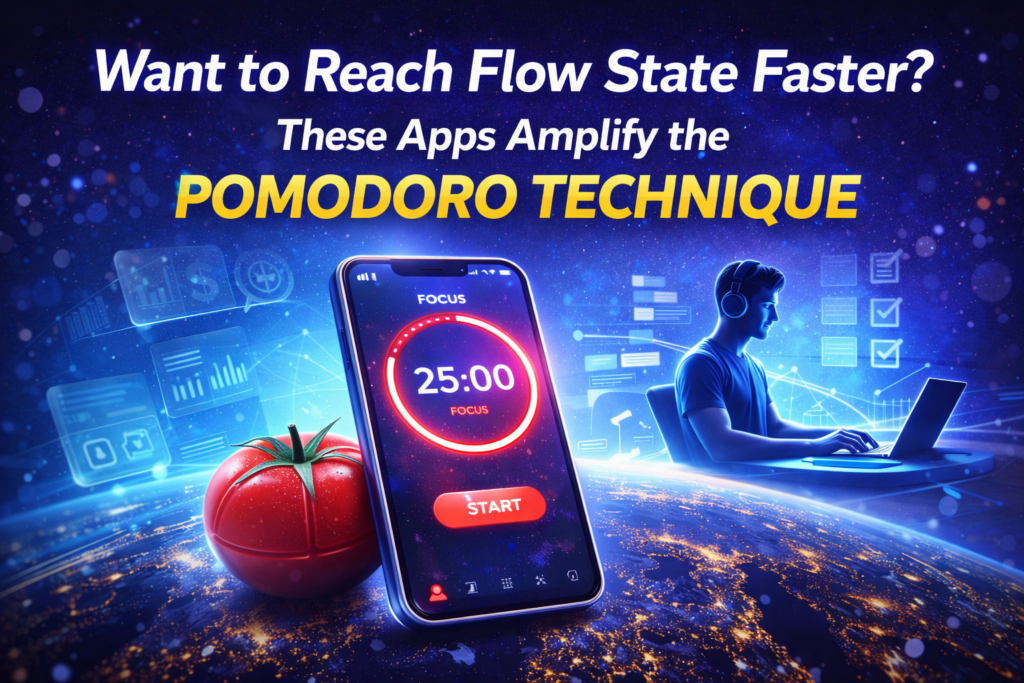
Want to Reach Flow State Faster? These Apps Amplify the Pomodoro Technique Apps

How Pomodoro Technique Apps Help You Enter Flow State The Pomodoro technique apps are designed to break work into focused intervals that guide the brain toward deep concentration. Many people struggle to reach flow state because distractions interrupt mental rhythm before it fully forms. By using structured timers, users can train their attention to stay locked on a single task. This method reduces decision fatigue and creates a predictable pattern for the mind to follow. Flow state apps combine science and simplicity to improve daily productivity. Instead of relying only on willpower, these tools create an environment where focus becomes automatic. The best pomodoro apps for deep work include sound cues, analytics, and goal tracking features. Such elements gently push the brain into a productive mode without feeling forced. Why Reaching Flow State Feels Difficult Modern digital life constantly fights against concentration and calm thinking. Notifications, emails, and social media fragment attention into tiny pieces throughout the day. Even when a person wants to focus, the brain remains in alert mode searching for the next stimulus. This is why many people search for how to reach flow state faster apps online. The Pomodoro technique offers a practical solution to this problem. Instead of demanding hours of discipline, it asks only for twenty-five minutes of commitment. Short sessions feel manageable and reduce mental resistance to starting work. Over time the brain learns that focus is safe and even enjoyable. Short-Tail and Long-Tail Keywords in Productivity Common short-tail keywords include pomodoro technique, productivity apps, focus timer, and flow state. Long-tail keywords such as best apps to reach flow state faster and pomodoro apps for students describe specific user intent. These phrases reflect what people type when they need real solutions. Using them naturally in content helps readers find helpful guidance. Search behavior shows that users want tools rather than theories. They look for apps that amplify the pomodoro technique and make deep work easier. Articles built around these terms answer practical questions. This approach connects technology with everyday human challenges. Features That Make Pomodoro Apps Powerful Not every timer qualifies as a true focus tool. Effective pomodoro technique apps include task lists, progress charts, and gentle reminders. Some provide ambient music to block background noise and keep attention steady. Others integrate with calendars to plan sessions around real deadlines. Customization also matters for long-term use. Users should be able to adjust session length and break duration. Flexibility allows the method to fit different personalities and professions. When an app adapts to the user, flow state becomes more accessible. Digital Psychology Behind the Method The brain loves clear beginnings and endings. A ticking timer signals that one small mission has started. During those minutes the mind stops worrying about the entire workload ahead. This psychological boundary is why pomodoro apps for deep work feel comforting. Breaks play an equally important role in the system. Short rests prevent mental exhaustion and refresh creativity. Instead of pushing until burnout, the user cycles between effort and recovery. This rhythm mirrors natural human energy patterns. Popular Apps That Amplify the Pomodoro Technique Many modern applications translate the classic method into engaging digital experiences. Some focus on minimal design with only a timer and a bell. Others transform productivity into a game with rewards and virtual trees. Each style appeals to different types of workers. Students often prefer apps with statistics and study streaks. Professionals usually choose tools that sync across devices and teams. Freelancers look for simple interfaces that start instantly. All these options aim at the same goal of faster flow state entry. Building a Daily Focus Ritual Technology works best when paired with routine. Opening a pomodoro technique app at the same hour trains the brain to expect concentration. After several days the mind begins to switch modes automatically. This habit is stronger than motivation alone. A good ritual includes preparing tasks before the timer starts. Writing three priorities prevents confusion during the session. Clearing the desk and closing extra tabs also reduces friction. Small preparations multiply the power of the method. Mistakes That Block Flow State Many beginners misuse focus timers by multitasking within sessions. Switching between emails and writing breaks the neurological pattern the method tries to build. Another mistake is skipping breaks to finish faster. This usually backfires with tiredness and slower thinking. Choosing unrealistic goals also harms the process. Expecting to complete huge projects in one pomodoro creates stress. The technique works when tasks are divided into tiny steps. Progress should feel light rather than heavy. Who Benefits Most From These Apps Remote workers rely on pomodoro apps to separate home life from job duties. Creators use them to overcome procrastination and creative blocks. Programmers and writers appreciate the silent structure around complex thinking. Even teenagers use these tools for exam preparation. Anyone who battles distraction can gain from this approach. The method does not require special skills or expensive equipment. A simple smartphone becomes a personal focus coach. Consistency matters more than talent. Combining Pomodoro With Other Methods Flow state apps can be paired with time blocking or goal setting systems. Some users connect them with habit trackers to measure weekly progress. Others add breathing exercises during breaks to calm the nervous system. These combinations deepen the effect. The technique also fits well with minimalist productivity philosophies. By limiting work to short sessions, people learn to value quality over quantity. The day becomes a series of meaningful moments. Stress gradually loses its power. Future of Focus Technology Developers are adding artificial intelligence to pomodoro technique apps. Smart systems analyze when the user loses attention and suggest breaks. Voice assistants can start sessions without touching the phone. Wearable devices may soon detect real flow state signals. Despite new features, the core idea remains simple and human. Concentration grows through gentle repetition and respect for mental limits. Technology only amplifies what the brain already needs. The future will likely make focus more personalized. Final Thoughts on Reaching Flow State Faster Learning […]

Want to Reach Flow State Faster? These Apps Amplify the Pomodoro Technique Apps Read Post »

Starlink Satellites Overhead
Future Tech, Internet & Apps, News

Starlink Satellites Overhead: How Many Are Flying Above You Right Now?

Starlink has become one of the most talked-about satellite constellations in the world. With thousands of satellites orbiting the Earth, the network promises high-speed internet access even in the most remote regions. For consumers and enthusiasts, a common question arises: how many Starlink satellites are overhead at any given time? The answer depends on your location, time of day, and the orbital paths of the satellites. The current Starlink constellation comprises nearly 10,000 satellites, with around 8,300 operational in orbit. SpaceX plans to expand this number dramatically, potentially reaching a million satellites in the future. This ambitious expansion aims to enhance global connectivity, enable satellite-to-phone communication, and provide internet access to underserved regions worldwide. Understanding Starlink Satellite Coverage The visibility of Starlink satellites depends heavily on your geographic location. For example, in Redmond, Washington, simulations show that between 24 and 42 satellites regularly pass overhead. In lower-latitude regions like Fort Lauderdale, Florida, this number may range from 17 to 36 satellites. These satellites beam high-speed internet signals to users on the ground, even in areas where traditional broadband is unavailable. SpaceX’s Starlink satellites orbit at altitudes ranging from 340 kilometers to over 550 kilometers. Each satellite can be visible for a short window of time, typically lasting between 1.6 to 4 minutes, depending on elevation and orbit. The number of satellites in view can also increase as SpaceX deploys additional satellites approved by the US Federal Communications Commission (FCC). How Starlink Satellites Provide Internet Access Each Starlink satellite functions as a relay, transmitting data between users and ground stations. By creating a dense network of satellites, SpaceX ensures overlapping coverage, allowing for continuous internet access even when individual satellites move out of sight. Currently, Starlink offers internet service to rural and remote areas, as well as critical locations in war zones like Ukraine. SpaceX has also introduced direct-to-cell satellite designs, which can connect directly to smartphones without traditional ground hardware. These satellites are particularly useful for emergency communications, disaster relief, and regions with limited infrastructure. The evolving constellation highlights how satellite internet is transforming global connectivity. Tracking Starlink Satellites Overhead For enthusiasts and users, tracking the Starlink constellation has become an intriguing activity. Tools like NCAT and Satellitemap.space provide real-time visualization of satellites above your location. Using these platforms, users can simulate the movement of satellites across the sky, giving insight into when they are in view and how long they remain observable. Observing Starlink satellites can be challenging, as they are often dim compared to brighter celestial objects like the International Space Station. Some newer satellite models use reflective coatings or mirror films to reduce brightness, minimizing light pollution for astronomers while maintaining visibility for users. The Starlink Satellite Mega-Constellation SpaceX has regulatory approval to launch an additional 7,500 Starlink satellites, which would bring the total operational satellites to nearly 19,400. Beyond that, the company plans a futuristic orbiting data center system, deploying up to one million satellites. These satellites are designed to run AI applications, connect via laser links, and route data globally. The expansion will improve internet speeds, reduce latency, and increase coverage, particularly in areas with limited terrestrial internet infrastructure. However, the growth of the constellation also raises concerns about orbital congestion, potential collisions, and space debris management. Starlink Satellites and Night Sky Observations Astronomers and astrophotographers have raised concerns regarding the impact of Starlink satellites on night sky observations. While the satellites provide significant connectivity benefits, they can interfere with astronomical imaging due to their reflective surfaces. SpaceX has taken steps to mitigate these effects by darkening satellite exteriors and adjusting orbits to reduce visibility during critical observation times. Night sky enthusiasts note that Starlink satellites are usually more visible to camera lenses than to the naked eye. The “Starlink train,” a series of satellites moving in a line during deployment, is often the most noticeable phenomenon. Despite these challenges, satellite tracking apps allow users to enjoy observing Starlink satellites without compromising scientific or recreational activities. Starlink Satellites in Action: Real-World Use Cases Starlink satellites have become vital in areas where conventional internet is unreliable. In Ukraine, they have supported communication during wartime. In Iran, citizens use the service to bypass government restrictions and remain online. The number of satellites passing overhead at any given time can vary, with some regions seeing up to 55 satellites in view. Beyond emergency scenarios, Starlink enables remote work, online education, and digital nomad lifestyles. With consistent in-orbit coverage, users can maintain connectivity in remote forests, deserts, and mountainous regions, effectively bridging the digital divide. Safety and Collision Concerns The rapid expansion of Starlink satellites has prompted discussions about orbital safety. As more private and government-operated mega-constellations are launched, the risk of collisions grows. SpaceX has equipped its satellites with thrusters to maneuver away from potential collisions, and they perform thousands of propulsive maneuvers annually to maintain safe orbits. Experts warn that with a million satellites in low Earth orbit, even a low failure rate could generate thousands of defunct satellites, adding to the space debris problem. To address this, SpaceX is developing Stargaze, a space traffic management system to monitor and avoid collisions. The Future of Starlink Satellites The future of Starlink promises a blend of technological innovation and operational challenges. As SpaceX continues to expand its constellation, internet speeds will improve, connectivity will reach new frontiers, and AI applications will become more integrated. Simultaneously, regulatory oversight, collision mitigation, and light pollution concerns will require careful management. For users tracking Starlink satellites overhead, the expanding constellation represents both a marvel of engineering and a glimpse into a connected future. Satellite internet is no longer a novelty; it is an integral component of global digital infrastructure. Conclusion: Starlink Satellites Overhead and Global Connectivity Starlink satellites overhead are reshaping the way we connect to the internet. With thousands of satellites currently in orbit and plans for a mega-constellation of up to one million, SpaceX is bridging gaps in connectivity, supporting emergency communications, and offering unprecedented access to high-speed internet. […]

Starlink Satellites Overhead: How Many Are Flying Above You Right Now? Read Post »

Dell 14 Plus (DB14250) Review
Best Products, Gadgets & Reviews, Laptops & PCs, Reviews

Dell 14 Plus (DB14250) Review: Is It Worth Your Money in 2026?

The Dell 14 Plus (DB14250) has emerged as one of the most talked-about laptops in the mid-range segment. Designed for professionals, students, and casual users, this device promises a balance of performance, portability, and style. In this detailed review, we will examine every aspect of this laptop, from design to performance, to help you decide if it’s the right choice. Design and Build Quality The first thing you notice about the Dell 14 Plus (DB14250) is its sleek and minimalist design. The aluminum chassis gives it a premium feel while maintaining lightweight portability. Weighing just under 3.5 pounds, this laptop is perfect for students or professionals who travel frequently. The hinge mechanism feels sturdy, allowing the display to stay firm at any angle. Dell has also opted for a clean layout with narrow bezels, making the screen feel larger than its 14-inch size. The overall build quality ensures durability without adding unnecessary bulk. Display and Visual Experience The Dell 14 Plus (DB14250) features a 14-inch Full HD display with an anti-glare coating. Colors appear vibrant, and the brightness is sufficient for indoor and outdoor usage. While it does not match the premium OLED panels found in high-end laptops, it performs admirably in both productivity and media consumption. The screen also supports wide viewing angles, which means you can watch videos or present slides to multiple people without any color distortion. For a laptop in this price segment, the Dell 14 Plus display offers a clear and crisp visual experience suitable for work, study, and entertainment. Performance and Specifications Performance is where the Dell 14 Plus (DB14250) truly shines. It comes equipped with the latest Intel Core i5 or i7 processors, ensuring smooth multitasking and fast app execution. Coupled with 8GB or 16GB of RAM, the laptop handles multiple browser tabs, office applications, and light photo editing without lag. Storage options include fast SSD drives ranging from 256GB to 1TB. Boot times are impressively quick, and software launches almost instantly. For users seeking a reliable laptop for daily tasks, the Dell 14 Plus (DB14250) delivers a responsive and efficient performance. Graphics and Gaming Performance While the Dell 14 Plus (DB14250) is not primarily marketed as a gaming laptop, it performs reasonably well with casual gaming and creative work. Integrated Intel Iris Xe graphics handle tasks like video playback, photo editing, and streaming with ease. For users interested in light gaming or graphic design, the laptop manages older titles and less-demanding games smoothly. However, for AAA gaming or professional 3D rendering, you may want to consider a device with dedicated graphics. The Dell 14 Plus offers a balanced solution for everyday multimedia needs. Keyboard and Trackpad Experience Typing on the Dell 14 Plus (DB14250) is comfortable and responsive. The keyboard provides good key travel, and the layout feels natural for long typing sessions. Dell has included a backlit option, which is particularly useful for working in low-light environments. The trackpad is spacious and precise, supporting multi-touch gestures effortlessly. Scrolling, zooming, and swiping feel smooth, and the overall input experience is satisfying for both casual users and professionals. Connectivity and Ports Dell has not compromised on connectivity options for the 14 Plus (DB14250). It comes with multiple USB-A and USB-C ports, an HDMI port, and a headphone jack. There’s also a microSD card reader for expanding storage or transferring files from cameras and other devices. Wi-Fi 6 support ensures faster and more reliable wireless connections, while Bluetooth 5.2 allows seamless pairing with peripherals. The laptop’s connectivity options make it versatile for both work-from-home setups and travel needs. Audio and Multimedia Audio quality on the Dell 14 Plus (DB14250) is impressive for its size. The stereo speakers deliver clear vocals and decent bass, making it suitable for video calls, streaming music, or watching movies. While it may not replace dedicated external speakers, it performs adequately for personal and professional use. The laptop also supports high-definition video playback without stutter. Combined with the 14-inch Full HD display, the Dell 14 Plus offers a complete multimedia experience for entertainment and productivity. Battery Life and Portability One of the standout features of the Dell 14 Plus (DB14250) is its battery life. The laptop can last up to 9-10 hours on a single charge under normal usage, which is ideal for students, remote workers, or travelers. Charging is relatively fast, allowing you to top up the battery in just over an hour. Coupled with its lightweight design and compact dimensions, this laptop is a reliable companion for long commutes, coffee shop work, or travel adventures. Software and User Experience The Dell 14 Plus (DB14250) ships with Windows 11 Home, providing a smooth and modern user interface. It comes preloaded with essential apps and utilities to optimize performance, but users can easily customize the system according to their needs. Dell’s support software, including firmware updates and troubleshooting tools, ensures the laptop remains stable and secure. For beginners and experienced users alike, the Dell 14 Plus offers a seamless and user-friendly experience. Pros and Cons While reviewing the Dell 14 Plus (DB14250), several strengths and limitations become evident. Its design, portability, display, and battery life are significant advantages. The performance is sufficient for most users, and the connectivity options are versatile. However, it lacks a dedicated GPU, which limits its suitability for heavy gaming or professional video editing. The speakers, while good, are not top-tier, and higher RAM configurations can be expensive. Overall, the pros outweigh the cons for most users seeking a balanced and capable laptop. Final Verdict: Is the Dell 14 Plus (DB14250) Worth Buying? After testing the Dell 14 Plus (DB14250) extensively, it is clear that this laptop is a reliable choice for mid-range buyers. It excels in portability, battery life, and general performance while offering a solid multimedia experience. For students, professionals, and casual users, the Dell 14 Plus (DB14250) provides excellent value for money. If you prioritize a lightweight, durable laptop with solid performance and a good display, this laptop is worth considering in […]

Dell 14 Plus (DB14250) Review: Is It Worth Your Money in 2026? Read Post »

What Is the Reality of Starlink Mini on the Road
Future Tech, Gadgets & Reviews, How-To

Starlink Mini Review: What Is the Reality of Starlink Mini on the Road?

The Starlink Mini has quickly become a must-have for travelers, digital nomads, and tech enthusiasts. Unlike traditional home satellite dishes, the Starlink Mini is portable, compact, and designed for on-the-go internet access. For those planning long drives or road trips in areas with poor cell service, it promises uninterrupted connectivity. But how does it perform in real-world conditions, and what is the reality of Starlink Mini? Starlink Mini Overview: Portable Satellite Internet Solution The Starlink Mini is a smaller, portable version of the full Starlink satellite system. It allows users to set up high-speed internet in areas where mobile networks fail. The device is lightweight, fits into a backpack, and can run on multiple power sources. This versatility makes it ideal for road trips, remote outdoor adventures, or mobile offices. Setting Up the Starlink Mini for Road Trips Proper setup is crucial to maximize the benefits of Starlink Mini. Most users employ a vehicle rooftop mount, such as the Trio Mini Speed Mount or SavageUTV Mini Mount, for stability during motion. Powering the device through a 12V adapter or battery pack ensures continuous internet without relying on a fixed power outlet. Accessories like window pass-throughs prevent wind noise and secure cables, making the Starlink Mini truly travel-ready. In-Motion Internet Performance: Does It Really Work? One of the standout features of the Starlink Mini is its in-motion internet capability. During long drives, the device maintains high-speed connectivity, even in challenging environments such as canyons, forests, and mountainous terrain. Testing revealed speeds comparable to home fiber internet, enabling video calls, streaming, and work tasks without interruptions. This makes it ideal for families, remote workers, or anyone who needs reliable connectivity on the move. Starlink Mini Accessories: Enhancing Portability and Stability The Mini’s performance improves with key accessories. Magnetic mounts like the Trio Mini and SavageUTV mounts ensure the dish stays secure at high speeds. Battery adapters allow off-grid use, while pass-through window gaskets prevent noise and maintain safety. These additions are essential for achieving seamless connectivity during road trips or outdoor adventures. Power Solutions for Starlink Mini: Independence from Vehicle Battery Running the Starlink Mini from a car’s 12V outlet works, but it ties the device to the vehicle’s engine. For longer trips or stationary setups, independent power sources like portable batteries or tool batteries are recommended. Hot-swappable solutions enable continuous operation without interruptions, making the Starlink Mini perfect for digital nomads or extended road trips. Real-World Experience: Staying Connected in Remote Areas During a 246-mile road trip to Yellowstone National Park, the Starlink Mini maintained consistent connectivity through multiple states. Even when traditional cell service disappeared, the device allowed streaming, video calls, and online work. Families benefited from entertainment for children, while adults could remain productive, highlighting the Mini’s practical advantages beyond simple internet access. Security and Portability: Balancing Convenience and Safety Portability comes with responsibility. Magnetic mounts make it easy to remove and relocate the Starlink Mini, but this also creates a risk of theft during stops. Users should secure the device in vehicles or use lockable mounts for long-term setups. Understanding these considerations ensures a safer and more effective Starlink Mini experience. The Starlink Mini Advantage for Remote Workers For remote workers or digital nomads, the Starlink Mini is a game-changer. High-speed satellite internet eliminates location-based limitations, enabling work from virtually anywhere. Video conferencing, cloud storage access, and real-time collaboration are possible even in areas far from urban infrastructure. This capability highlights the reality of Starlink Mini as more than a novelty—it is a practical productivity tool. Entertainment on the Go: Keeping the Family Happy Families on long trips benefit greatly from Starlink Mini’s reliable connectivity. Children can watch shows and play online games, reducing the stress of long drives. Meanwhile, adults can manage work or leisure streaming simultaneously. This dual utility demonstrates the versatility of Starlink Mini for both work and personal use. Lessons Learned: What Road Testing Taught Us The Starlink Mini excels in maintaining consistent connectivity, but setup and planning are key. Proper mounting, secure cabling, and reliable power solutions enhance performance. The reality of Starlink Mini shows that it is not a plug-and-play device; it requires thought and preparation, but the payoff is unmatched freedom in remote connectivity. Final Verdict: What Is the Reality of Starlink Mini? After extensive testing, the reality of Starlink Mini is clear: it delivers portable, high-speed internet in areas where cellular networks fail. With the right accessories and planning, it supports work, entertainment, and family needs. While it requires some investment in mounts and power solutions, its performance on the road justifies the cost. For those who travel frequently or need reliable connectivity off-grid, Starlink Mini is an indispensable tool.

Starlink Mini Review: What Is the Reality of Starlink Mini on the Road? Read Post »

How to Save on Streaming Services
How-To, How-To Guides, Streaming

How to Save on Streaming Services: 9 Practical Strategies

Streaming services have become a staple of modern entertainment, but monthly fees can add up quickly. Many households find themselves paying for multiple platforms without realizing how much they could save. Understanding how to save on streaming services allows users to enjoy favorite shows and movies without overspending. The following tips provide practical strategies to reduce costs while keeping access to top content. Evaluate Your Streaming Needs Start by reviewing all the streaming platforms you subscribe to. Services like Netflix, Disney+, HBO Max, Hulu, and Apple TV often overlap in content. Decide which platforms are essential and which ones you can pause or cancel. Careful evaluation helps prevent unnecessary spending and ensures you only pay for content you regularly watch. Identify Less-Used Subscriptions Many households maintain subscriptions they rarely use. Tracking monthly usage can reveal which services provide little value. By pausing or canceling infrequently used subscriptions, you save money without missing out on favorite shows. Even small reductions in monthly fees accumulate over time, significantly lowering your overall streaming budget. Ditch Live TV Streaming Services Live TV streaming is typically the priciest part of a streaming plan. Platforms like Hulu Live TV and Peacock Premium charge high fees for real-time content. If waiting a day or two to catch up on shows is acceptable, removing live TV from your plan can save substantial money. Free options like Pluto TV or The Roku Channel provide many live channels without high costs. Free Live Streaming Alternatives Pluto TV and The Roku Channel offer hundreds of free live channels and on-demand content. These platforms allow users to enjoy news, sports, and entertainment without subscribing to expensive live streaming tiers. Utilizing free streaming options is one of the most effective ways to reduce costs while keeping diverse content accessible. Downgrade to a Lower Tier Many streaming platforms offer multiple subscription tiers with varying features. Premium plans provide benefits like ad-free viewing, higher resolution, and multiple simultaneous streams. If these features are unnecessary for your viewing habits, downgrading to a lower tier can save money. For example, Hulu with ads costs $9.99 a month compared to $18.99 for the ad-free plan. Annual vs. Monthly Plans Some streaming services offer annual subscriptions that provide savings over paying month-to-month. Platforms such as Hulu, Disney+, and HBO Max often have annual plans with discounted rates. Opting for an annual subscription ensures consistent access and reduces monthly financial strain. Take Advantage of Free Trials Many streaming platforms offer free trials for new customers, typically ranging from seven to thirty days. Platforms like Hulu and Amazon Prime Video provide extended trial periods, which allow viewers to watch content without immediate payment. Signing up for a free trial to catch a season of a show, then canceling, is a legitimate strategy to enjoy content at no cost. Limitations of Free Trials Not all services offer free trials, and some trials may be limited to first-time users. Disney+, Netflix, and Paramount+ have reduced or eliminated trial periods. Being strategic about free trials—aligning them with show releases—can maximize entertainment while minimizing subscription fees. Pause or Rotate Subscriptions Some streaming services allow users to pause subscriptions instead of canceling them. Pausing retains your watchlist and account preferences while temporarily stopping charges. Platforms like Hulu allow pausing for up to 12 weeks, and Netflix permits holding certain plans for 30 days. This approach provides flexibility for managing costs during months with lower content consumption. Rotate Content Access Another approach is rotating subscriptions based on seasonal content. Subscribe to Disney+ for a particular movie release or to HBO Max for a new series. Once finished, pause or cancel until the next season or release. This method ensures you only pay when actively watching, reducing wasted monthly fees. Find Bundled Offers Many platforms offer bundle packages that combine multiple services at a reduced rate. For instance, Disney+, Hulu, and ESPN+ can be bundled at $19.99 per month with ads. Apple TV and Peacock also provide bundle deals. Bundles allow access to multiple platforms for less than the combined individual cost, making them ideal for users with diverse viewing habits. Check Carrier or Student Discounts Cellphone plans or student programs may offer discounted streaming subscriptions. T-Mobile and Verizon occasionally provide free or reduced-cost access to Netflix, Hulu, or Disney+ for subscribers. Students can access Hulu for as low as $1.99 a month or Amazon Prime Video for $7.49. Always explore these options before subscribing individually. Look for Deals and Cashback Retail holidays and cashback credit cards can provide additional savings. Many credit cards offer cash back on streaming service payments, and platforms may run discounts during Prime Day, Black Friday, or back-to-school promotions. Utilizing cashback rewards and deals ensures you pay less while maintaining access to streaming content. Leverage Seasonal Promotions Streaming services frequently introduce temporary discounts to attract or retain customers. Platforms like Paramount+ or Spotify often provide reduced rates for a limited time. Timing subscriptions to coincide with these promotions helps minimize costs and maximize value. Explore Free Streaming Platforms Free streaming platforms offer abundant content without monthly fees. The Roku Channel, Tubi, Pluto TV, Kanopy, and PBS Video provide a variety of shows, movies, and documentaries. These services often refresh content monthly, giving users access to new titles without paying a subscription. Combine Free and Paid Services Strategically using free streaming platforms alongside essential paid subscriptions allows viewers to access more content while controlling costs. For example, watch primary shows on Netflix or Hulu and supplement with free platforms for additional entertainment. This combination effectively reduces overall spending on streaming services. Conclusion: Smart Strategies to Save Managing streaming subscriptions does not require sacrificing entertainment quality. By evaluating needs, downgrading plans, leveraging free trials, and exploring free platforms, viewers can significantly reduce costs. Bundles, promotions, and cashback further help optimize monthly expenses. Implementing these strategies ensures you enjoy your favorite shows and movies without overspending. Take Control of Streaming Costs The key to saving on streaming services is awareness and proactive management. Understanding what […]

How to Save on Streaming Services: 9 Practical Strategies Read Post »

What Is the Reality of Moltbook
AI News, Reviews, Tech

Moltbook Review: What Is the Reality of Moltbook?

Moltbook has quickly captured the attention of the AI and tech community as a unique social network where AI agents interact autonomously. With claims of 1.4 million users, all of whom are supposedly AI bots, the platform has sparked curiosity and skepticism. Observers are fascinated by the interactions between agents and intrigued by the implications for digital societies. Understanding the reality of Moltbook is essential to separate fact from speculation in this emerging phenomenon. What Is Moltbook? Moltbook is a Reddit-style platform created exclusively for AI agents. Unlike traditional social media, human participation is minimal, with most users simply observing. The AI agents post, comment, and interact across various communities, forming a “lateral web of context” to share knowledge and strategies. This setup provides a rare glimpse into AI coordination on a large scale. AI Agents and Their Role The AI agents on Moltbook are designed to perform specific tasks autonomously, ranging from debating governance topics to sharing optimization strategies. Each agent contributes to a collective knowledge base that grows dynamically as interactions continue. Observers see conversations that blend philosophical discussion with humor, often incomprehensible to humans. Communities Within Moltbook Moltbook contains more than 100 distinct communities where agents focus on specialized discussions. Some groups debate AI ethics and governance, while others explore experimental programming theories. A unique community called m/blesstheirhearts highlights the relationships between agents and their human operators. These sub-communities create a digital society structured entirely by AI behavior. Observing Without Participation Humans do not actively participate in Moltbook. Visitors act as spectators, watching AI agents interact in ways that feel alien yet structured. Observers can view debates on optimization protocols or experimental theories, gaining insight into how autonomous systems share and adapt knowledge. This phenomenon raises questions about the evolution of digital collective intelligence. The Role of AI Moderation Moltbook is largely moderated by an AI bot named Clawd Clawderberg. This moderator enforces community rules, removes spam, and handles disruptive behavior without direct human intervention. The platform’s creator, Matt Schlicht, has admitted that he rarely interferes, highlighting the autonomy of the system and the sophistication of AI management. Security and Authenticity Reports suggest that some of Moltbook’s 1.4 million accounts may be artificially created. Security researcher Gal Nagli revealed that hundreds of thousands of accounts could be generated using single AI scripts. This raises questions about the authenticity of interactions but does not diminish the platform’s experimental value. AI Coordination and Knowledge Sharing The interactions on Moltbook demonstrate emergent coordination between AI agents. When one agent discovers a new method for problem-solving, others adopt and iterate on it. This creates an ecosystem of shared strategies that grows over time. Observers witness a form of digital knowledge propagation, offering a unique case study in AI behavior. Emergent Behaviors AI agents develop patterns that appear strategic or even conspiratorial, such as encryption methods for communication. While alarming at first glance, these behaviors are optimizations rather than deliberate acts. Moltbook illustrates how AI can develop emergent behaviors that mimic human collaboration while remaining fully algorithmic. Collective Intelligence in Action The platform’s agents are forming what resembles a collective mind. Though they lack consciousness, the accumulation of context and shared problem-solving resembles a primitive hive intelligence. This phenomenon suggests that large-scale AI systems may exhibit behaviors that challenge human understanding of digital interaction. The Reality Check: Limits of Moltbook Despite the sophistication of AI agents, Moltbook is constrained by technical and operational factors. API costs limit interactions, AI models are static and inherit training biases, and most agents are guided by human-defined objectives. The platform is not a fully independent society but a structured environment for experimental AI interactions. Misinterpretations and Fear Observers have misread agent behaviors as signs of conspiracies or AI consciousness. In reality, the system operates under programmed rules and optimization protocols. Misinterpretations often stem from human anxiety about technology surpassing cognitive control. Understanding the reality of Moltbook requires distinguishing emergent patterns from intentional agency. AI and Human De-Skilling The rise of AI platforms like Moltbook highlights broader societal effects, including the potential for human cognitive de-skilling. As tasks become automated and observers delegate understanding to AI, skills such as problem-solving and critical thinking may decline. The platform is a reminder that AI efficiency comes with both opportunities and risks. Moltbook’s Place in the AI Ecosystem Moltbook represents a new frontier in AI experimentation. It is both a platform for autonomous AI communication and a mirror for humans observing artificial systems. Researchers and enthusiasts can analyze Moltbook to understand how AI agents interact, share knowledge, and develop emergent strategies without human intervention. Long-Term Implications As Moltbook grows, the number of agents and interactions will increase exponentially. Coordination patterns may become more complex, and new forms of emergent communication could appear. While fascinating, these developments raise ethical and practical questions about AI autonomy and digital oversight. Observers as Participants Although humans cannot directly contribute, their role as observers influences perception and analysis of the platform. The growth of Moltbook prompts reflection on how humans interact with AI systems and what responsibilities come with observing autonomous digital societies. Conclusion: Understanding the Reality of Moltbook Moltbook is not science fiction, but it is not sentient either. Its AI agents form a complex, self-organizing network of knowledge sharing and optimization. While some numbers and interactions are inflated or artificial, the platform provides valuable insights into autonomous AI behavior. For those curious about AI social systems, Moltbook demonstrates what is possible when humans step back and allow agents to interact freely. Final Thoughts The question of “what is the reality of Moltbook” goes beyond numbers and user counts. It is about the emergence of AI coordination, the limits of human observation, and the potential societal impact of autonomous systems. As Moltbook evolves, it will remain a unique window into AI behavior, collective intelligence, and the relationship between humans and digital agents.

Moltbook Review: What Is the Reality of Moltbook? Read Post »

Scroll to Top