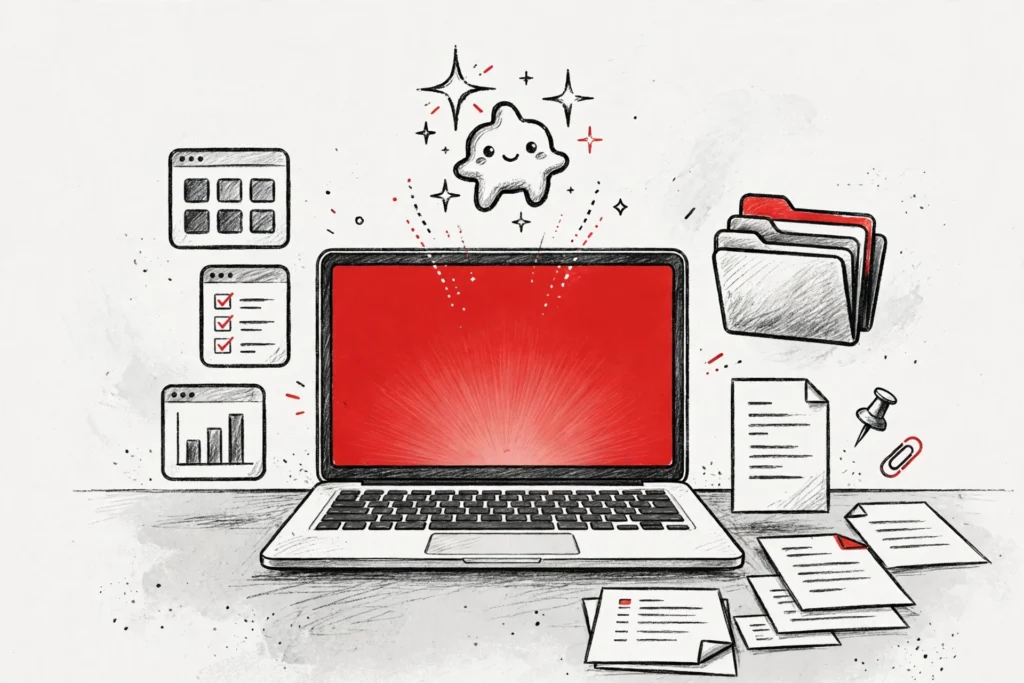
Picture the scene. It is late, your Downloads folder holds two hundred unsorted photos, and a shipping form is asking for the same address for the fourth time tonight.
You sigh, reach for the mouse — and then you stop. This time, you just tell your Mac what you want, and watch it get on with the job.
That is the promise Google made on November 19, 2026. Gemini, its AI assistant, can now use your Mac for you, thanks to a feature called Gemini computer use. It turns Gemini from a chatbot that answers questions into an agent that clicks, types, and organises on your behalf.
What Gemini Computer Use on Mac Actually Does
Computer use gives Gemini the ability to operate your Mac directly. Instead of drafting a reply for you to send, it can navigate native Mac apps, browse websites in the background, and carry out multi-step tasks across your files, your apps, and the web.
Google’s examples are deliberately ordinary. Gemini can fill out forms, repeat the same task across a batch of files, and sort files into folders based on criteria you set.
It can also pull weights, dimensions, and addresses out of PDFs and enter them into shipping forms, or look through a folder of clothing photos and prepare resale listings from them.
The point is not one clever trick. It is the range: anything that involves several small steps, repeated across several places, is now in scope.
Behind the scenes, Gemini works inside an isolated background window, according to Google. You keep your own screen and cursor free while it works on a separate virtual screen.
A live preview lets you watch what it is doing, and you can pause or stop it at any time.
How Gemini Controls Your Mac — and Where It Stops
Handing an AI the keys to your computer is a big step, and Google has built in a set of guardrails. Gemini asks for your approval before sensitive actions, and it pauses by default when it reaches a login screen or a payment page.
You also choose which apps it is allowed to touch. Before Gemini can operate Mac apps, you must enable computer use and grant macOS Accessibility and Screen and System Audio Recording permissions.
It then requests permission before controlling individual apps, so access is granted app by app, not all at once.
For local files, Gemini can only see what you add to the Connected folders toolbar. That detail matters: you can share a single folder, such as the one holding the photos you want listed, without opening up your entire Downloads folder or Documents.
When Gemini works with files, it attempts to create temporary backups. Those expire after 24 hours, or when you submit another prompt. Google warns, though, that some apps do not support backups, and that certain changes cannot be undone.
What You Need to Use Gemini Computer Use on Mac
The rollout is narrow for now. Computer use is available in English in the United States, and Google has not said when it will reach other countries or platforms.
You need the Gemini app for Mac and a paid Google AI subscription — Plus, Pro, or Ultra. Google’s announcement lists all three tiers, although its support documentation currently specifies only Pro and Ultra for controlling desktop apps.
The hardware bar is specific too. You need a Mac with Apple Silicon running macOS Sequoia 15.0 or later, a personal Google account, and you must be at least 18.
The feature is not available on Windows yet, and there is no word on when — or whether — it will come to the Gemini desktop app for Windows. Google’s own Mac app launched in April 2026, and the company had already said it would bring Gemini Spark, its personal AI agent, to the desktop to work with local files. Computer use is the capability that makes that promise real on the Mac.
The Risks Google Itself Is Warning About
The most interesting part of this launch is not what Gemini can do. It is what Google says could go wrong — and the company has been unusually candid about it.
Once Gemini has permission to operate an app, that permission can extend beyond a single task. It can interact with apps that are already signed in to your personal or professional accounts.
It can also read or interact with multi-factor authentication codes visible in desktop or messaging apps.
That level of access is also why questions about what Gemini can see keep resurfacing — see our earlier report on Google Gemini privacy and human reviewers.
Google acknowledges that untrusted content in one app could redirect Gemini into taking actions in another app it has permission to use. A malicious instruction hidden in a document, an email, or a web page could steer the agent somewhere you never intended.
Granting access to code editors or developer tools carries its own warning. Google says such permissions could enable shell command execution, or broader changes to the file system — changes that reach files beyond the ones in your original task.
And the stakes are not theoretical. Gemini can permanently delete files on your Mac or in Google Workspace, and it can send or share files with third parties.
None of this is evidence that the feature is routinely damaging files or compromising accounts. But it is a reminder that computer use is not a toy: the same access that lets Gemini clear your photo backlog lets it touch almost anything else on the machine.
The timing is worth noting. Apple introduced new permission controls in macOS 27.3 developer beta 2 on November 16, 2026 — three days before Google’s announcement. Those controls give Mac users finer say over what apps and agents can do.
Why Google Is Doing This Now
The race to build an AI that does things, rather than one that talks about things, has been running for more than a year. What makes Google’s move significant is the audience.
Gemini already sits inside Google Search, Gmail, Docs, and Android. Bringing the same agent to the Mac puts it on the machine where millions of people do their most complicated work — and where Google, unlike Apple, does not own the operating system.
The Mac launch also completes a busy month for Gemini. The assistant arrived on Apple CarPlay in mid-November, Gemini Tasks went free in six countries, and the Gemini 4 family rolled out within weeks.
Computer use is the thread that ties those launches together: Gemini is becoming less of a place you visit, and more of a layer that follows you around.
There is a commercial logic too. Computer use requires a paid subscription, and the most capable tiers sit behind Pro and Ultra. Every task Gemini completes on your Mac is another reason to keep paying for the plan that unlocks it.
Apple, meanwhile, is moving the other way on its own assistant. Siri AI usage limits in iOS 27.3 cap how much Apple’s AI can do each day, with the allowance tied to your iCloud+ plan.
What Happens Next for Gemini on Mac
The obvious question is expansion. Google has not announced when computer use will leave the United States, when it will support other languages, or when Windows users will get it.
The rollout is deliberately cautious, and the security warnings suggest why. First, watch whether Google widens the subscription tiers. The gap between the announcement listing Plus, Pro, and Ultra and the support documentation naming only Pro and Ultra is worth keeping an eye on.
Second, whether the feature reaches the Gemini desktop app for Windows, where Microsoft’s own Copilot already has a home-field advantage.
For now, the feature is live for a small group: English-speaking Mac users in the United States with a paid plan and an Apple Silicon machine. For them, the Downloads folder may never look the same again.
For everyone else, the launch is a preview of a question that is only going to get louder. When an AI can use your computer, the important question is no longer what it can do. It is what you are willing to let it touch — and how carefully you draw that line before you hand over the mouse.
According to TechCrunch, Google announced computer use for the Gemini Mac app on November 19, 2026.