The Blank Page That Never Changed
For more than a quarter of a century, the most visited page on the internet has been almost aggressively empty. A logo, a box, two buttons, and a whole lot of white space. Google’s homepage became famous precisely because it refused to change while everything else on the web got louder and more crowded.
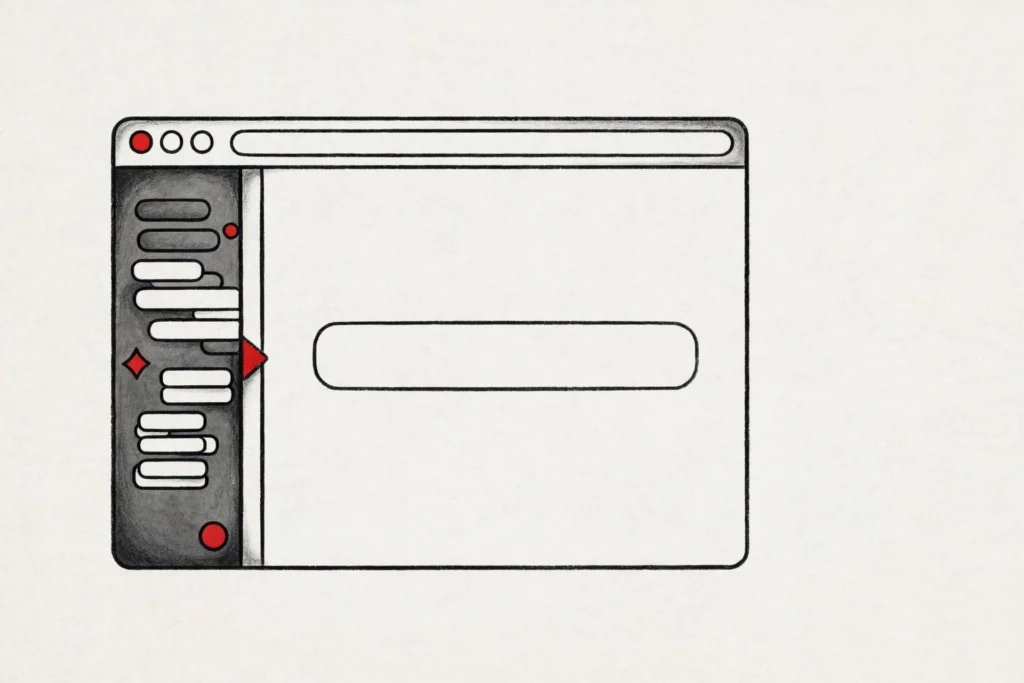
That era is now ending. Google is rolling out a new version of its desktop homepage, and the change is impossible to miss once it reaches you. A collapsible sidebar now runs down the left side of the page, carrying your recent AI searches with it.
The familiar “Google Search” button underneath the search box is gone too, replaced by shortcuts that hand the job straight to Gemini. The Google Search homepage AI sidebar is the clearest sign yet that Google no longer sees search as a place you visit and leave.
What Google Announced on November 19
The change was confirmed by Robby Stein, Google’s vice president of product for Search, in a post on X on November 19, 2026. In his words, the desktop homepage is getting “a collapsible sidebar to easily find & jump back into your recent AI searches,” and the rollout is happening globally.
The update arrives in two parts. The first is the sidebar itself, which sits on the left edge of google.com and opens when you click a thin gray rail. The second is a new row of Gemini-powered shortcuts underneath the search box, which replace the old Google Search button.
Neither part is a small tweak. Together they amount to the biggest redesign of the Google homepage in years. According to 9to5Google, it is one of the most significant embraces of AI in Search since the company launched AI Overviews and AI Mode.
Inside the New Google Search Homepage AI Sidebar
Open the panel and it looks less like a search page and more like a chatbot app. At the top there is a “New thread” button for starting a fresh conversation, and a “Search threads” option for digging through your past ones.
Below that sits a Notebooks section with an “Add notebook” button, tying your searches to Gemini Notebook, Google’s research and note-taking tool. Underneath, a list of your recent AI Mode conversations waits, each one clickable.
Click one and it reopens the full answer with its sources, so you can keep asking follow-up questions. The panel is collapsible, which matters. Google knows the bare homepage is sacred ground for a lot of people, so the page still looks almost exactly as it always has when the sidebar is closed.
The Search Button Is Gone — Gemini Shortcuts Take Its Place
The more symbolic change sits directly under the search box. The Google Search button, a fixture since the late 1990s, is being replaced by Gemini-powered shortcuts in Google’s demo of the new homepage.
The shortcuts on show are “Create images,” “Ask about files,” and “Brainstorm,” sitting alongside the “I’m Feeling Lucky” button. Each one sends your next query into Gemini rather than into the classic list of blue links.
It is a small piece of interface, but it carries a large message. For decades, pressing that button meant “show me ten links.” Now Google is steering first-time visitors toward asking an AI to make something, read something, or think something through with them.
The old way of searching has not disappeared. Type a query and press Enter and you still get results. But the button that once defined Google is no longer the default action on the page, and that is a deliberate choice.
Why Google Thinks Search Is Now a Conversation
Stein explained the thinking behind the redesign in his announcement. People, he said, are coming to Search with questions that “aren’t just one and done.” They ask something, get an answer, and then want to keep going, refining, following a thread, changing direction.
In testing, he said, the sidebar “made a huge difference in terms of making progress and continuing to explore the web.” The homepage, in other words, was failing at the exact moment a search turned into a project. You had to leave the page, dig through history, or start over.
That is the problem the sidebar is built to solve. AI Mode, Google’s chat-style search experience, already lets you hold a conversation with Search. The sidebar simply brings that conversation home, onto the page where nearly every search begins.
There is also a defensive logic here. Chatbots have trained hundreds of millions of people to expect a sidebar full of past conversations. ChatGPT, Claude, and Gemini’s own app all work that way. Google’s homepage was the last major AI surface without one.
A Test Spotted Weeks Before the Announcement
The redesign did not arrive out of nowhere. Barry Schwartz of Search Engine Roundtable spotted Google testing a left-hand AI Mode sidebar on the main search results page back in October, weeks before Stein’s announcement.
That test version lived on the results page, not the homepage. The step Google has now taken is bolder: moving the same idea onto google.com itself, the page that loads billions of times a day and has barely changed its layout in a generation.
What the Change Means for Everyday Searching
For regular users, the practical effect is simple. The next time you research a holiday, compare two laptops, or work through a problem in AI Mode, that conversation will be waiting for you the next time you open Google.
You will not need to remember what you asked, or where you left off. The sidebar remembers for you, and one click drops you back into the thread with the sources and the follow-up box intact.
For Google, the stakes are bigger. Every thread that lives on the homepage is one more reason to stay inside Google’s AI rather than drifting to a rival chatbot. The homepage becomes a habit loop: ask, return, continue, ask again.
Desktop First, Mobile Undecided
The new homepage is rolling out on desktop only for now. Google has said nothing about bringing the sidebar to the mobile search homepage, and the mobile experience is a different problem entirely.
On a phone, there is no left edge to hide a panel behind, and the clean, single-column layout leaves little room for a chat history. Google may adapt the idea for small screens later, or it may decide the mobile app already handles history well enough.
Not Everyone Will Cheer
The redesign will not please everyone. The Google homepage has survived for so long precisely because it does nothing, and every addition to it has historically drawn complaints from people who liked it empty.
There is also a privacy question hiding in plain sight. A homepage that displays your recent searches shows your thinking to anyone glancing at your screen. The panel is collapsible, and it can stay closed, but its default presence changes the character of a page that used to reveal nothing about its user.
Engadget, reporting the rollout, noted that Google is doubling down on Gemini in desktop search “despite protestations from users and employees alike.” The company has heard the objections before, over AI Overviews and AI Mode, and it has pushed ahead each time.
The sidebar is here, and the question is not whether it stays, but how quickly people get used to it.
What Happens Next
The rollout will continue over the coming weeks, and the first real test will be what users do with it. The homepage change follows a busy month for Google Search, including the November core update.
If the sidebar turns the homepage into a place people return to mid-task, Google will likely deepen the integration, adding more of Gemini’s app into the panel.
And watch the shortcuts under the search box. “Create images,” “Ask about files,” and “Brainstorm” are only the first three. If Google starts rotating in more Gemini actions there, the old Search button will not just be replaced. It will be forgotten.
The blank page lasted more than twenty-five years. Its replacement looks a lot like a chatbot, and Google is betting that is exactly what search has become.