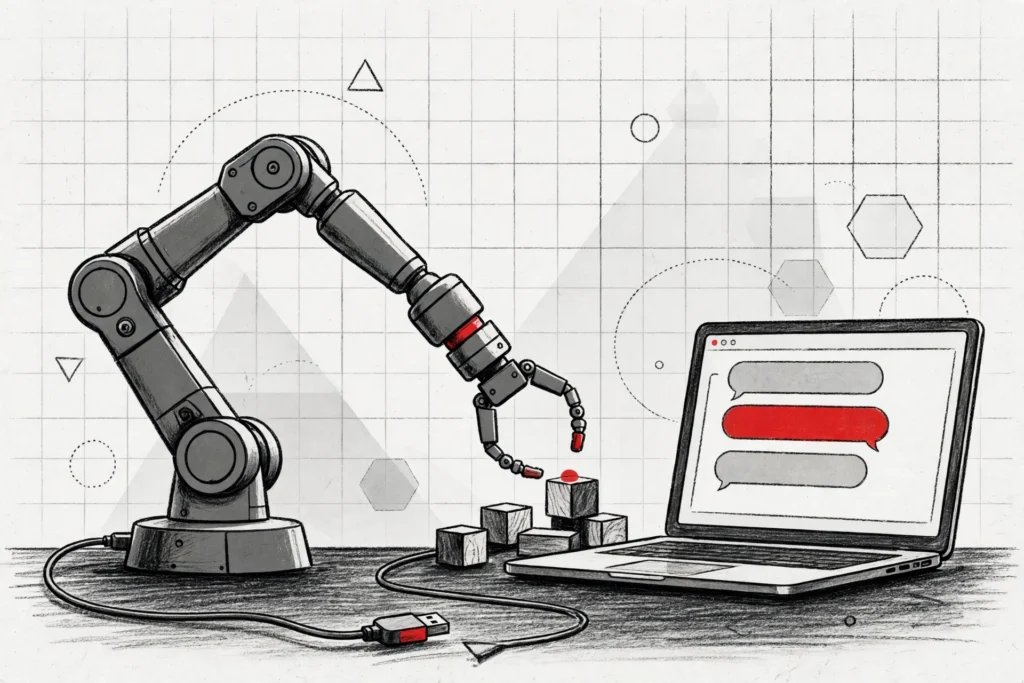
Picture the scene: a brand-new robot arm sits in its box on your desk, a laptop beside it, and a single USB cable between the two. You type one sentence into Google’s new Antigravity Robotics plugin — bring up my arm and make it wave.
Ten minutes later, the arm is calibrated, moving, and ready for work. That is the promise behind the launch on November 17, according to the Google Developers Blog.
The plugin turns Google Antigravity into a one-stop robotics workbench. It packages four sets of skills that Gemini can use on your behalf: hardware setup, simulation, perception and control, and application building. The idea is simple — take a developer from an unboxed robot to a working application in a single afternoon.
It arrives alongside Gemini 4 Hydrogen, the fast Gemini 4 model Google introduced last week for spatial and embodied reasoning. Hydrogen is the engine; the plugin is the workbench. Together, they are meant to close the gap between chatting about a robot and actually running one.
What the Antigravity Robotics Plugin Actually Does
Building a robot application has always been a glue job. Drivers, calibration scripts, simulators, perception code and a user interface each lived in a different tool, and stitching them together took robotics expertise and a lot of time. The Robotics plugin folds all of that into skills that Gemini can call for you, inside Antigravity.
Robot bring-up is the first skill. Plug in an arm and a depth camera, and the plugin installs the drivers, discovers the cameras, calibrates the arm and verifies that it can move safely — starting from a USB cable. No terminal commands, no driver hunt, no calibration ritual.
MuJoCo in Antigravity is the second. The physics simulator runs directly inside the editor, with skills to create, audit and render scenes. You can describe a scene in words, import it from a link or document, or upload photos of your workspace — then test ideas in simulation before the real hardware moves at all.
Perception and control is the third. It uses Gemini’s spatial understanding to find objects, plan grasps and drive the robot in a closed loop, adjusting as the scene changes. Application building is the fourth: Gemini writes the controller and the simulation, completing a full real-to-sim-to-real loop in one place.
From USB Cable to Moving Arm in 10 Minutes
Google’s demo starts from an empty desk. A developer plugs an I2RT YAM arm and an external depth camera into a laptop and asks Hydrogen in Antigravity to bring it up.
The plugin’s skills install the software, find the camera, calibrate the arm and run test motions. About ten minutes later, the arm is calibrated and ready for tasks.
The same flow works on very different hardware. Google says a low-cost SO-ARM101 arm and an industrial-grade Franka FR3 Duo can both go from scratch to live waving.
Once the robot is live, a simple prompt is enough to start a basic task — make some dance moves, pick up a pen, or stack snacks on top of each other.
Gemini 4 Hydrogen’s Robot Benchmarks
Hydrogen is the model doing the driving. Give it a goal in plain language and a camera view, and it plans the task, writes and runs the control code, and keeps adjusting until the job is done.
That ability is not new — Gemini 4 Argon and Carbon showed a general model could drive a robot arm directly — but Hydrogen keeps it while running faster and cheaper.
On the Artificial Analysis Robotics 0.1 benchmark, Hydrogen controls a six-axis arm through eight tabletop tasks, from pouring a drink to packing blocks into a box. It scores 58, similar to Argon, at a lower cost per token. The caveat: these are Google’s own benchmark claims, and no independent measurement has been published yet.
Hydrogen also folds in the skills of Google’s Gemini Robotics ER 2 models, and beats them on nearly every axis of the public ERQA benchmark, including multi-view correspondence and 3D trajectory reasoning. Google now recommends that developers using Gemini Robotics ER 2 try Hydrogen for these workloads instead.
What You Can Build With It
The workbench is meant to turn an idea into a repeatable application, not just a one-off demo. Google’s snack-sorting example starts with a whiteboard sketch: a conveyor belt carrying mixed snacks, with a robot arm picking and sorting them into bins.
From one prompt and images of the real scene, Hydrogen builds an interactive MuJoCo simulation of the cell and tests the grasping policy across multiple runs.
The developer then deploys the verified policy directly to the real robot. When small problems appear — tuning the gripper’s closing force, refining the sorting rules — the fixes happen in natural language. Within about an hour end to end, the arm reliably sorts snacks off the moving belt.
A second example stretches further. A developer builds a small web storefront for a soap shop, then connects it to two YAM Pro arms.
When an order comes in, the arms set out a packing bin, pick the ordered mint and citrus bars, and pull a printed thank-you note from a printer. One developer, five times the fulfilment, according to Google.
A third demo is pure play with a point: with just a few prompts, the FR3 Duo simulates a chess board and then plays chess against itself or a human opponent. The message is that the same loop — simulate, verify, deploy — works whether the task is a game or a warehouse job.
How to Get the Robotics Plugin
The plugin is available now, with one gate: Google Antigravity is for paid Google AI Pro or Ultra subscribers. Inside Antigravity, select Gemini 4 Hydrogen, then open Customizations and search for Robotics on the Build With Google shelf. Google’s suggested first prompt is simple: “Bring up my SO-101 arm and make it wave.”
Hydrogen itself is also available as gemini-4-hydrogen in the Gemini API, with day-one support in the google-genai SDKs, and in Google AI Studio, where developers can try spatial prompts, live camera streams and structured tool calls in the browser.
Why This Matters for Robotics
Robotics has long had a talent bottleneck. The hardware keeps getting cheaper — a capable arm now costs less than a good laptop — but the software work around it has stayed stubbornly expert-only. Every new robot meant drivers, calibration, simulation and control code, each a small project of its own.
That is the wall Google is trying to lower. If a developer can bring up an arm in ten minutes and build an application in an afternoon, the pool of people who can build with robots grows far beyond robotics specialists. The same shift happened in coding, where agents turned plain language into working software.
Google is not alone in chasing this. NVIDIA’s GR00T 2 and Runway’s Praxis-1 are both robot foundation models released in recent weeks, and Google’s own Gemini Robotics 2.5 is already running humanoid robots on Mercedes-Benz production lines. The difference here is the packaging: a workbench inside a coding agent, rather than a model alone.
There are limits worth noting. The plugin supports the arms Google has demonstrated, and Antigravity itself sits behind a paid subscription. The benchmarks are Google’s own, and a ten-minute demo is not the same as a robot running safely all day in a real factory.
Google invites developers to share creations and use cases on the plugin’s GitHub discussions page, and says it will keep improving the plugins.
For now, the direction is clear. Gemini 4 Argon pushed the ceiling of physical reasoning; Hydrogen makes those capabilities fast and affordable enough to use every day; and the Antigravity Robotics plugin puts them somewhere a developer can use them. The robot in the box is no longer a project. It is a prompt away.