Picture this: you open Google Search AI Mode and type, “Can I afford a weekend trip to the mountains?” A moment later, the answer comes back shaped by your real life. It knows what you spent last month, which credit card gives you the best travel rewards, and that your calendar is clear next weekend.
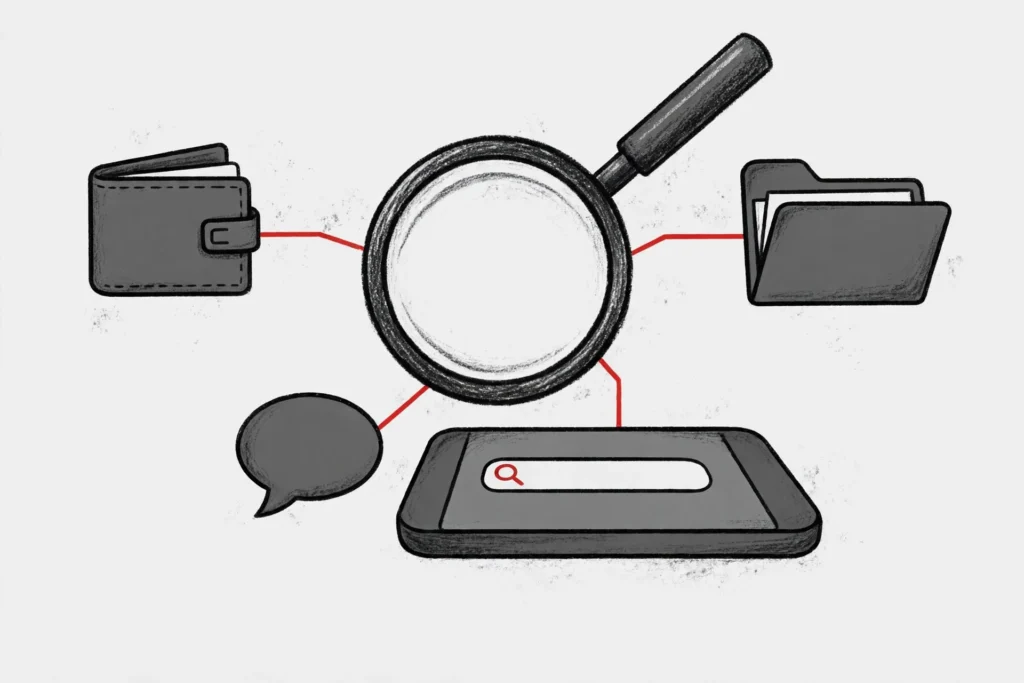
That is no longer a thought experiment. Google Search AI Mode can now reach into your Wallet, your Drive, and your Gemini chats to give you answers built around you, according to Google.
The company announced the expansion on Monday, November 23, in a blog post from Robby Stein, vice president of product for Google Search. It is the biggest step yet for Personal Intelligence, the feature that lets Search draw on your Google apps for more tailored answers.
What Google Search AI Mode Just Gained
Personal Intelligence is not new. Google Search AI Mode could already connect to Gmail, Google Calendar, and Google Photos to shape its answers around your life.
The November 23 update adds three more sources. Google Wallet starts rolling out today, while Google Drive and the Gemini app follow in the coming weeks, according to the announcement.
Together, they cover three parts of your digital life that Search could not see before: your money, your documents, and your AI conversations. Each one is optional, and each can be switched on or off on its own.
Google is also making AI Overviews and AI Mode responses “more personally relevant” based on your recent search context, so answers should feel less generic even before you connect anything new.
It is the latest step in a month of Gemini spreading across Google’s products. The November Pixel Drop brought Gemini Intelligence to the Pixel 10, and the new Gemini 4 Carbon model now powers much of the company’s AI work.
Your Wallet, Read-Only
The Wallet connection is the one rolling out first, and it is also the one Google spent the most time explaining. Connect it, and AI Mode can look at your spending patterns, your financial goals, and the cards linked in your Wallet.
The practical payoff is everyday money advice. Google says AI Mode can help you map out financial milestones, find ways to trim routine spending, and get more from your credit card benefits.
That means answers tuned to your actual cards. Ask about booking a flight, and Search could point out which of your cards earns the best travel points. Ask about groceries, and it might flag the card with the strongest cash-back rate for that store.
The guardrail matters as much as the feature. Google stresses that the access is read-only. AI Mode can read information from the accounts in your Wallet, but it cannot move, manage, or invest your money.
That promise is the line Google has to hold. A search box that can see your bank balance is useful only if people believe it cannot touch it.
Drive: Your Documents Join the Conversation
Google Drive is the next connection in line, and it may be the most practical of the three. The information you need for a big decision is often scattered across documents, spreadsheets, and PDFs.
With Drive connected, AI Mode can pull that context together when you ask. Google gives tax season as the example: instead of hunting through folders, you could ask for a personalised preparation plan built from your own files.
The same logic applies to projects. A question about planning a home renovation could draw on the quotes, measurements, and budgets already sitting in your Drive, rather than starting from a blank page.
There is a catch worth noting. Drive holds the most sensitive material most people own: contracts, medical letters, financial records. Google is betting that the convenience of answers built on your documents outweighs the unease of letting Search read them.
Gemini Chats Carry Over to Search
The third connection links the Gemini app with AI Mode, so a conversation you started in one place does not have to start over in the other.
If you explored an idea in the Gemini app, AI Mode will have that foundation to build on, and the same works in reverse. Google says the connection covers your Gemini chats, along with photos, files, audio and video attachments, screens you asked about, and associated insights and locations.
This builds on something Google already offered in the other direction. The Gemini app could already factor your Search history into its answers. Now the flow runs both ways, powered by models like Gemini 4 Carbon, Google’s strongest AI model yet.
It is a small change with a large meaning. Google is stitching its AI products into one continuous conversation, where context follows you from chat to search and back again.
More Personally Relevant Answers in AI Overviews
Alongside the new connections, Google says AI Overviews and AI Mode will start showing more personally relevant responses based on your recent search context.
In practice, that means the same question may get a different answer depending on what you have been researching lately. A query about cameras could lean toward the models you have already been comparing, rather than a generic list.
The shift is subtle but important. Search is moving from answering the question in front of it to answering the person asking it, with all the context that implies.
For Google, the bet is that personalisation makes Search harder to leave. For users, the trade is the same one the whole AI industry keeps offering: hand over more context, get a better answer.
How to Turn It On — and Off
Nothing here switches itself on. Connecting apps to Personal Intelligence is entirely opt-in, and Google says it does not turn the feature on by default.
To connect an app, open Google Search settings, go to Search Personalization, and choose Connected Apps. From there you can pick which apps to connect and remove them at any time.
There are limits on who can use it. According to Google’s help pages, you need to be 18 or older, use a personal Google Account, and have Search history and Personal Recommendations turned on. Availability also varies by country and language.
The Wallet rollout began on November 23, so it may take days to reach everyone. Drive and the Gemini app connections arrive in the coming weeks.
The Privacy Question Google Has to Answer
Every expansion of Personal Intelligence raises the same question: how much of your life should Search be allowed to see? Google’s answer this time is control — opt-in connections, per-app toggles, and read-only access for Wallet.
The timing is awkward for Google, though. Earlier this month, it was reported that the company had quietly changed its Gemini privacy terms so that data from Gmail and Drive could be reviewed by human reviewers. Wasl Tech covered that change in detail, and it is still fresh in people’s minds.
Google has also been moving in the other direction on some fronts. A change that began rolling out on November 16 lets Gemini users turn off saving chat history and separately stop Google from training AI models on their content.
The pattern is clear. Google is offering more personalisation and more controls at the same time, and leaving it to users to decide where their own line sits.
What Happens Next
The Wallet connection is live now, with Drive and Gemini to follow. The next test is whether people actually switch these connections on, or whether the idea of Search reading their wallet feels like one step too far.
Watch the rollout closely. If adoption is strong, expect Google to keep adding sources — and expect rivals to follow. Search that knows your life is quickly becoming the new normal.
And if adoption is weak, Google will have learned something important too: that the most personal version of Search is not automatically the one people want.
Either way, the direction is set. Google Search is no longer just an index of the web. With Personal Intelligence, it is becoming an index of you.