What Perplexity Computer Actually Does in Your Browser
Picture this: it is nine in the morning, your inbox is full, and three travel receipts are buried somewhere in your email. You type one sentence into a side panel — find my hotel receipts from last month and put them in a spreadsheet.
Then you go and make coffee. While the kettle boils, your browser is running the errand for you.
That is the promise Perplexity made on November 20, when it brought its Computer agent to the browsers people already use. According to Perplexity, the agent now works directly inside Chrome, Edge, Brave, Arc, Opera and other Chromium-based browsers, through the company’s free extension.
The announcement came in posts on X from chief executive Aravind Srinivas, and it marks a sharp change of direction. Until now, Computer lived mainly inside Comet, Perplexity’s own browser, which launched in July 2025. Now the agent comes to you, instead of asking you to move house.
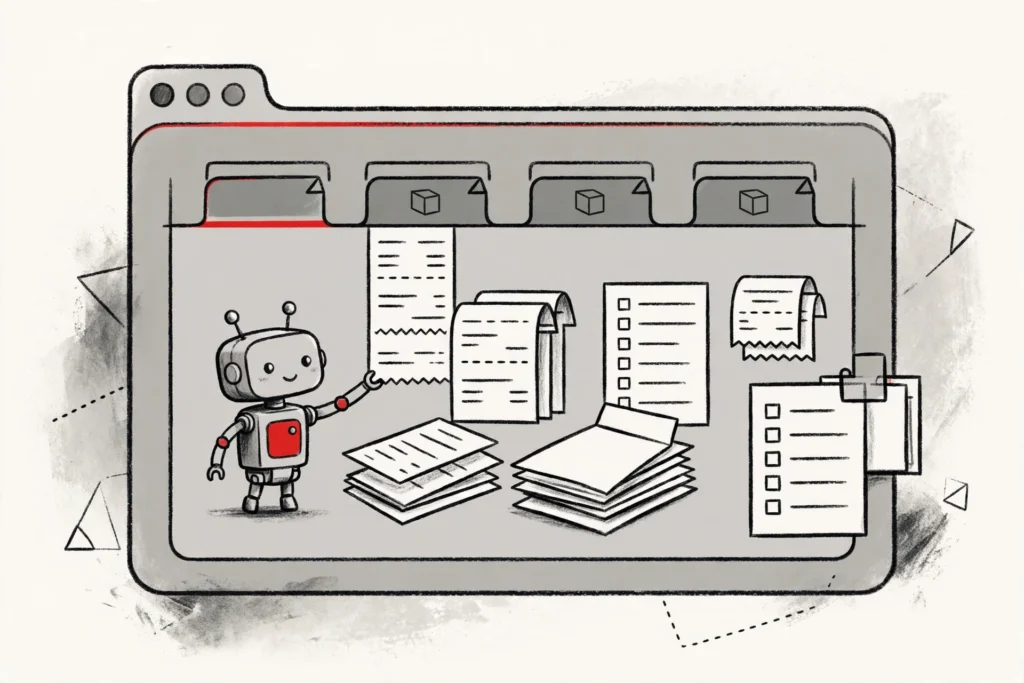
Once the extension is installed, Computer sits in the browser’s side panel. You describe a task in plain language, and the agent opens the tabs it needs, navigates pages, enters text and completes the workflow.
The tabs it creates appear in their own group, so you can watch what it is doing, stop it, or step in when a site asks for confirmation.
The most important detail is what Computer can touch. It works with sessions you are already signed in to, including Gmail, LinkedIn, Notion, airline portals and retailer accounts. That means it can reach the places where your real work lives, not just the public web.
No Comet Required: Why the Extension Matters
Browsers are famously hard to displace. Your bookmarks, passwords, extensions and company policies all live in the one you already use, and most people will not abandon that for a new app, however clever it is.
Shipping Computer as an extension sidesteps that problem entirely. Perplexity no longer needs to persuade anyone to switch browsers. It only needs them to add one extension to the browser they open every morning.
There is a technical reason this matters too. Developers do not need to build a dedicated integration for each site Computer visits.
There is no API to wire up, no OAuth connection to approve, and no Model Context Protocol server to run. The agent simply operates through the website’s own interface, the way a person would.
That is also what makes the move strategically significant. Perplexity launched Computer in February 2026, first for its most expensive Max subscribers. A Mac app followed in April, a Windows app in July. Each step widened the audience. The browser extension is the widest step yet, because Chrome alone reaches billions of people.
The Jobs It Can Take Off Your Hands
Computer is built for multi-step work spread across several websites, especially where those sites offer no useful public API. Perplexity points to a handful of representative jobs.
It can download receipts from travel accounts and organise the details in a spreadsheet. It can compare prices, availability or specifications across retailer sites. It can triage an inbox, draft replies and prepare follow-up events.
It can also enter data into long forms and administrative portals, and it can research a topic across many tabs before producing a cited summary. That last part leans on Perplexity’s search roots: the agent gathers information and then acts on it, rather than only answering questions.
The pattern is consistent. The work is boring, repetitive and spread across tabs. Computer takes the clicking; you keep the decisions.
Guardrails: You Decide Where It Is Allowed to Go
An agent that can act inside your signed-in accounts is powerful, and that power is exactly why Perplexity has built in controls. Users get per-site settings that decide where Computer may operate. A domain you trust can be allowed, a sensitive service can be blocked, and either list can change as your work changes.
Visibility is part of the design. Because the agent’s tabs sit in their own group, its actions stay in view while a task runs. You can monitor progress, pause the job, or take over the moment something looks wrong.
Perplexity says the extension handles authentication details and website content only during active tasks, and does not collect data in the background. Even so, some actions deserve a human eye before they are submitted. Financial transfers, purchases, account changes, messages and anything destructive should be reviewed manually.
That advice applies doubly on shared or managed devices, where site permissions deserve a regular review. An agent is only as safe as the boundaries you set for it.
Where the Agent Still Gets Stuck
For all its reach, Computer is not unstoppable. CAPTCHAs, passkeys, multifactor prompts and anti-bot systems can pause or block a run. An expired session can stop it cold, and a site that redesigns its interface overnight can break a workflow that worked yesterday.
Computer-use agents are also still slower than people on many simple tasks, and they can misread ambiguous instructions during long runs. Heavy anti-bot protection, unusual interface controls and pop-ups all reduce reliability.
None of this is a surprise. Every browser agent faces the same walls, because websites were built for humans, not for software pretending to be human. Clear instructions, narrow scopes and approval checkpoints are what keep the error rate down.
The Browser Agent Race Is Heating Up
Perplexity is not alone in this race. Google has put Gemini into Chrome’s side panel, and other browser-based assistants are following the same path. The question is no longer whether AI will live in the browser, but which one will do the most useful work there.
OpenAI, meanwhile, has taken a different approach with ChatGPT Space, a shared workspace for Plus subscribers. Anthropic is pushing from the other direction with its Claude office suite, which puts AI agents inside documents, meetings and whiteboards.
Computer’s distinguishing feature is direct execution across tabs, combined with Perplexity’s citation-focused search and research tools. That combination targets tasks that begin with gathering information and continue into actions such as form entry, comparison or account administration.
The company has been building toward this moment all month. On November 17 it added a multiagent mode to Computer, in which up to 16 agents running on rival models check each other’s work. Earlier in November it also launched Perplexity Teammates, agents that take on ongoing work from a single high-level goal.
On November 19 it upgraded Brain, the personalised memory inside Computer, so it now writes and maintains reusable skills from a user’s completed sessions.
That upgrade followed an eight-week trial in which skill adoption reached 72.9 percent and tool errors fell 11 percent. The pattern is clear: Perplexity is turning Computer from a single clever trick into a system that learns how you work.
What It Costs and How to Try It
Getting started takes three steps. Install the Perplexity extension from the Chrome Web Store, sign in with a Perplexity account, and open the browser side panel. From there you enter a task, review the site access it requests, and watch the generated tab group.
The extension itself is free to install. Computer access, however, is bundled with eligible subscription plans, including Pro. Availability and usage limits can depend on the account, the plan, browser policies and rollout status.
Existing subscribers gain access to the browser agent without keeping Comet as a separate daily browser. That is the point of the whole release: the agent now lives where the user already is.
What Happens Next for Perplexity Computer
The wider release puts Perplexity in front of a much larger audience, but it also puts its agent under much harsher scrutiny. Millions of new users will test Computer against the messy reality of the web: login walls, cookie banners, broken layouts and sites that fight automation.
For companies, the extension model raises familiar questions. IT teams will want to review the permissions it requests, the domain allowlists, the data-handling terms, retention policies and audit options before enabling it for employees. Managed-browser controls will matter too.
Perplexity’s bet is that the convenience will win. If an agent can quietly clear the small jobs that eat your morning — the receipts, the comparisons, the forms — you will keep it around. And once it is inside your browser, Perplexity no longer needs to win the browser war at all.
The agent has moved into your home. The question now is how much of your day you are willing to hand it.